WordPress WebP Converter Plugin
Convert, resize, and optimize your media images with ease.
The WordPress WebP Converter Plugin is a lightweight, no-nonsense tool that lets you convert images from your media library into fast-loading WebP format — directly from the WordPress admin panel.
How It Works
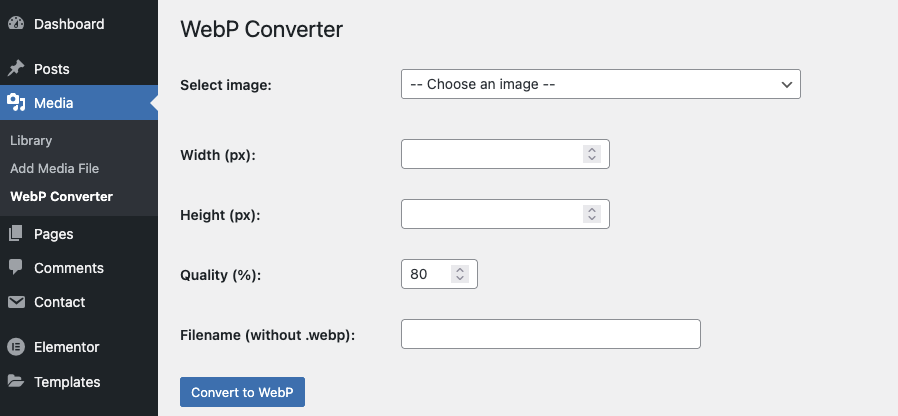
Go to Media → WebP Converter, select an image, define the desired width or height, choose your preferred quality level, and click Convert to WebP. You can even rename the output file before conversion. The plugin handles everything else — including adding the new WebP image back to your media library.
Key Features
• Simple and intuitive UI under the Media menu
• Resize images to a specific width or height
• Set custom quality for WebP output (1–100%)
• Rename output files before conversion
• Adds converted WebP files back to the media library
• Fully compatible with ClassicPress 1.0+ and WordPress 5.8+
• No external API or cloud upload — works fully on your server
Server Requirements
• PHP 7.4 or higher
• GD or Imagick with WebP support
Ideal for
• Website owners who want full control over WebP conversion
• Developers who need a fast and reliable local WebP tool
• Anyone looking to improve site speed and image performance without bloated plugins
Speed up your site with modern image formats — without complexity.
Try the WordPress WebP Converter Plugin today and take control of your image optimization process.
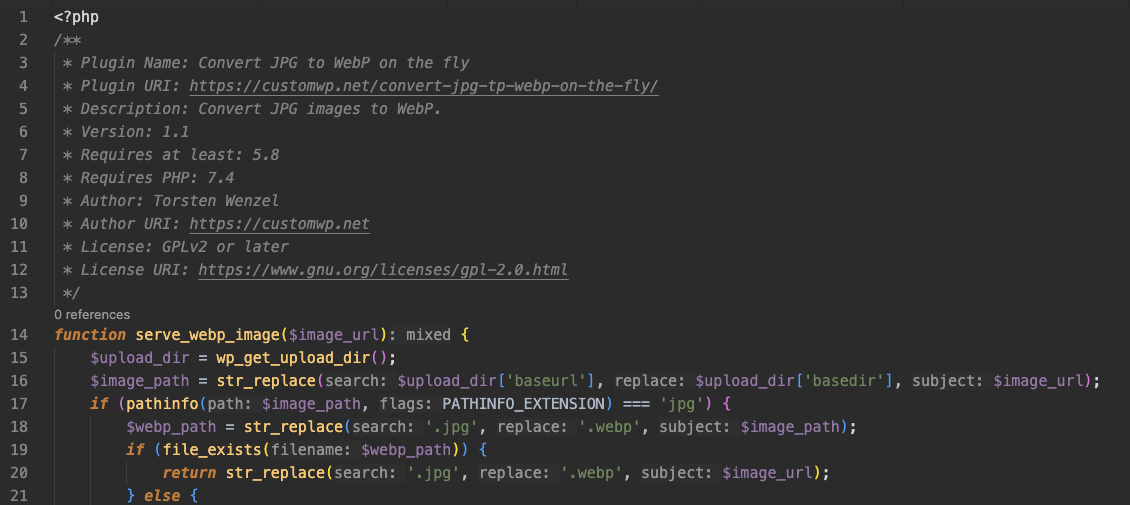
<?php
/**
 * Plugin Name: Simple WebP Converter
 * Plugin URI: https://customwp.net/wordpress-webp-converter-plugin/
 * Description: Convert and resize images from the media library to WebP – with preview and quality control.
 * Version: 1.3
 * Requires at least: 5.8
 * Requires PHP: 7.4
 * Author: Torsten Wenzel
 * Author URI: https://customwp.net
 * License: GPLv2 or later
 * License URI: https://www.gnu.org/licenses/gpl-2.0.html
 */

// Activation checks
register_activation_hook(__FILE__, function() {
    global $wp_version;

    $is_classicpress = defined('CLASSICPRESS_VERSION');
    $min_version     = $is_classicpress ? '1.0.0' : '5.8';

    if (version_compare($wp_version, $min_version, '<')) {
        deactivate_plugins(plugin_basename(__FILE__));
        wp_die('❌ WebP Converter requires ' . ($is_classicpress ? 'ClassicPress ≥ 1.0.0' : 'WordPress ≥ 5.8') . '. Current version: ' . esc_html($wp_version));
    }

    require_once ABSPATH . 'wp-admin/includes/image.php';
    $editor = _wp_image_editor_choose('/dev/null');

    if (!class_exists($editor) || !method_exists($editor, 'supports_mime_type')) {
        deactivate_plugins(plugin_basename(__FILE__));
        wp_die('❌ No image editor (GD or Imagick) is available on your server.');
    }

    if (!call_user_func([$editor, 'supports_mime_type'], 'image/webp')) {
        deactivate_plugins(plugin_basename(__FILE__));
        wp_die('❌ Your server does not support WebP image conversion (GD or Imagick with WebP support required).');
    }
});

// Add admin page
add_action('admin_menu', function() {
    add_media_page('WebP Converter', 'WebP Converter', 'upload_files', 'webp-converter', 'webp_converter_page');
});

function webp_converter_page() {
    ?>
    <div class="wrap">
        <h1>WebP Converter</h1>
        <form method="post">
            <?php wp_nonce_field('webp_converter_action'); ?>

            <table class="form-table">
                <tr>
                    <th><label for="image_id">Select image:</label></th>
                    <td>
                        <select name="image_id" id="image_id" required onchange="webpPreview(this)">
                            <option value="">-- Choose an image --</option>
                            <?php
                            $images = get_posts([
                                'post_type'      => 'attachment',
                                'post_mime_type' => 'image',
                                'posts_per_page' => -1,
                                'orderby'        => 'date',
                                'order'          => 'DESC'
                            ]);
                            foreach ($images as $img) {
                                $thumb = wp_get_attachment_image_src($img->ID, 'thumbnail');
                                $selected = selected($_POST['image_id'] ?? '', $img->ID, false);
                                echo '<option value="' . $img->ID . '" data-thumb="' . esc_url($thumb[0]) . '" ' . $selected . '>' . esc_html($img->post_title) . '</option>';
                            }
                            ?>
                        </select>
                        <div id="webp_preview" style="margin-top:10px;"></div>
                        <script>
                            function webpPreview(select) {
                                const thumb = select.options[select.selectedIndex].dataset.thumb;
                                if (thumb) {
                                    document.getElementById("webp_preview").innerHTML = '<img src="' + thumb + '" style="max-width:150px;border:1px solid #ccc;">';
                                } else {
                                    document.getElementById("webp_preview").innerHTML = '';
                                }
                            }
                            window.addEventListener('DOMContentLoaded', () => {
                                const select = document.getElementById("image_id");
                                if (select.value) webpPreview(select);
                            });
                        </script>
                    </td>
                </tr>
                <tr>
                    <th><label for="webp_width">Width (px):</label></th>
                    <td><input type="number" name="webp_width" value="<?php echo esc_attr($_POST['webp_width'] ?? ''); ?>"></td>
                </tr>
                <tr>
                    <th><label for="webp_height">Height (px):</label></th>
                    <td><input type="number" name="webp_height" value="<?php echo esc_attr($_POST['webp_height'] ?? ''); ?>"></td>
                </tr>
                <tr>
                    <th><label for="webp_quality">Quality (%):</label></th>
                    <td><input type="number" name="webp_quality" min="1" max="100" value="<?php echo esc_attr($_POST['webp_quality'] ?? '80'); ?>"></td>
                </tr>
                <tr>
                    <th><label for="webp_filename">Filename (without .webp):</label></th>
                    <td><input type="text" name="webp_filename" value="<?php echo esc_attr($_POST['webp_filename'] ?? ''); ?>" style="width:300px;"></td>
                </tr>
            </table>
            <p><input type="submit" class="button button-primary" name="webp_submit" value="Convert to WebP"></p>
        </form>
    </div>
    <?php

    // Handle form submission
    if (isset($_POST['webp_submit']) && check_admin_referer('webp_converter_action')) {
        $image_id       = intval($_POST['image_id']);
        $width          = isset($_POST['webp_width']) ? intval($_POST['webp_width']) : null;
        $height         = isset($_POST['webp_height']) ? intval($_POST['webp_height']) : null;
        $quality        = isset($_POST['webp_quality']) ? intval($_POST['webp_quality']) : 80;
        $raw_input      = trim($_POST['webp_filename'] ?? '');
        $original_text  = $raw_input !== '' ? $raw_input : 'webp-' . time();
        $safe_filename  = sanitize_title_with_dashes($original_text);
        $filename       = $safe_filename . '.webp';

        $path = get_attached_file($image_id);
        $editor = wp_get_image_editor($path);

        if (is_wp_error($editor)) {
            echo '<div class="notice notice-error"><p>❌ Error: Could not load image editor.</p></div>';
            return;
        }

        if ($width || $height) {
            $editor->resize($width ?: null, $height ?: null, false);
        }

        $upload_dir = wp_upload_dir();
        $new_path   = trailingslashit($upload_dir['path']) . $filename;

        $editor->set_quality($quality);
        $result = $editor->save($new_path, 'image/webp');

        if (!is_wp_error($result)) {
            $attachment_data = [
                'post_mime_type' => 'image/webp',
                'post_title'     => $original_text,
                'post_excerpt'   => $original_text,
                'post_content'   => $original_text,
                'post_status'    => 'inherit'
            ];
            $attach_id = wp_insert_attachment($attachment_data, $new_path);
            require_once ABSPATH . 'wp-admin/includes/image.php';
            $metadata = wp_generate_attachment_metadata($attach_id, $new_path);
            wp_update_attachment_metadata($attach_id, $metadata);
            update_post_meta($attach_id, '_wp_attachment_image_alt', $original_text);

            echo '<div class="notice notice-success"><p>✅ WebP image created and added to media library.</p></div>';
        } else {
            echo '<div class="notice notice-error"><p>❌ Error saving WebP file.</p></div>';
        }
    }
}